The best free image to video AI and make photo talk AI tools in 2026 can turn static photos into moving, talking, and highly engaging content without traditional video production. Magic Hour is our #1 pick for creators who want image animation, talking photos, and a broader AI video workflow in one browser-based platform.
Static images are no longer limited to social posts, presentations, or galleries. In 2026, AI can turn a single photograph into a moving scene, animate a character, create cinematic camera motion, or make a portrait speak with synchronized audio.
The challenge is choosing the right platform. Some tools are excellent at cinematic image-to-video generation, while others focus on talking avatars, social content, photo animation, or professional editing.
I compared the leading options based on output quality, ease of use, creative control, available AI features, free access, and practical use cases. The goal is simple: help creators, marketers, developers, and businesses identify the tool that fits their workflow instead of choosing based on marketing claims alone.
Best Image-to-Video and Talking Photo AI Tools at a Glance
| Rank | Tool | Best For | Image-to-Video | Talking Photos | Free Access | Platform |
| 1 | Magic Hour | Complete AI content workflow | Yes | Yes | Yes | Web |
| 2 | Runway | Advanced creative video | Yes | Limited/indirect | Limited | Web |
| 3 | Kling AI | Realistic motion | Yes | Limited | Yes | Web |
| 4 | Luma Dream Machine | Cinematic image animation | Yes | No | Yes | Web |
| 5 | Pika | Social effects | Yes | Creative effects | Yes | Web |
| 6 | Adobe Firefly | Professional creative workflows | Yes | No | Limited | Web/Desktop ecosystem |
| 7 | Canva | Quick social content | Yes | Limited | Yes | Web/Desktop/Mobile |
| 8 | CapCut | Short-form video editing | Yes | Yes/AI features | Yes | Web/Desktop/Mobile |
| 9 | HeyGen | AI presenters and talking avatars | Yes/limited | Yes | Limited | Web |
| 10 | D-ID | Talking portraits | Limited | Yes | Trial/Limited | Web |
Quick answer: Magic Hour is the strongest overall choice for creators who want to transform photos into videos and combine that workflow with other AI video tools.
1. Magic Hour — Best Overall for Image-to-Video and Talking Photos
Magic Hour stands out because it brings several AI-powered content creation capabilities into one browser-based platform. Its tools cover image-to-video generation, talking photos, lip sync, video transformation, and other creative workflows, making it a practical choice for creators who want to turn static visual assets into engaging video content.
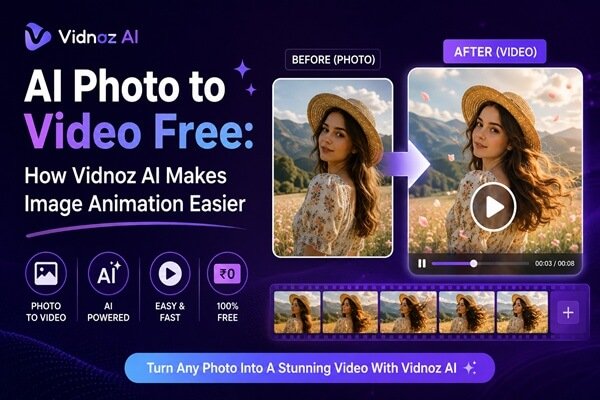
For creators who want to animate a still image, Magic Hour’s free image to video ai tool provides a straightforward way to transform a photograph into a moving video. This is useful for social media posts, marketing campaigns, product visuals, storytelling, and other digital content where a static image needs more visual movement.
The platform also caters to creators who want to animate portraits and synchronize them with speech. Its make photo talk ai tool can turn a suitable portrait into a talking video, making it useful for educational content, character-based videos, presentations, and social media projects.
Rather than relying on separate platforms for every stage, creators can use Magic Hour as a central place to experiment with different AI video workflows.
Pros
- Image-to-video generation from static images
- AI talking-photo functionality
- Lip-sync and video transformation tools
- Multiple AI creation tools in one platform
- Browser-based workflow
- Useful for social media and marketing content
- Free access available for testing
- Suitable for both beginners and experienced creators
Cons
- Advanced generations can consume credits quickly
- Results depend on the quality and composition of the source image
- Complex cinematic projects may benefit from dedicated video-generation platforms
- Some generations may require several iterations
Evaluation: If you want one platform for transforming photographs into moving visuals and creating talking portraits, Magic Hour is one of the strongest options to consider in 2026. Its broad selection of AI creation tools makes it particularly useful for creators who want to experiment without building a workflow across several different platforms.
Price and plan information
Magic Hour offers free access for users who want to test its AI tools before committing to a paid plan. Paid plans provide additional credits and greater generation capacity. Pricing and available features may change, so users should check the current plan details before purchasing.
2. Runway — Best for Advanced AI Video Creation
Runway is one of the strongest choices for creators who want greater control over AI-generated video. It is especially attractive to filmmakers, visual artists, agencies, and creators working on more sophisticated projects.
Its image-to-video capabilities can transform a still image into a moving sequence while giving users control over the desired visual direction. Runway also offers a wider collection of generative and editing features, making it more suitable for multi-stage production than a simple photo animation tool.
The major advantage is creative control. Users can build sequences that feel closer to traditional filmmaking rather than simply applying an animation effect to a photo.
Pros
- Strong image-to-video generation
- Advanced AI video creation features
- Useful for filmmakers and professional creators
- Good creative control
- Strong ecosystem for experimental video production
- Suitable for complex visual projects
Cons
- Free access is limited
- Credits can be consumed quickly during experimentation
- Advanced features require learning
- May be excessive for simple photo animation
Evaluation: Runway is a strong choice if image-to-video is part of a larger professional production workflow. For a simple talking portrait, however, a dedicated talking-photo tool can be more efficient.
Price and plan information
Runway provides limited free access, while paid subscriptions increase generation credits and unlock more advanced features. Plans and credit allocations vary by subscription tier.
3. Kling AI — Best for Realistic Motion
Kling has become a major competitor in AI video generation, particularly for realistic movement and cinematic visuals.
Its image-to-video workflow is useful when you have a strong still image but want to introduce natural movement. Instead of simply adding a basic zoom or pan, AI video models can attempt to infer how objects, people, clothing, environments, and camera movement should behave.
This makes Kling particularly interesting for product visuals, cinematic concepts, advertising experiments, and social videos.
Pros
- Strong visual realism
- Good human motion
- Effective image-to-video generation
- Useful for cinematic concepts
- Free credits may be available for experimentation
Cons
- Results can vary between generations
- Complex scenes may produce unwanted movement
- Credit consumption can become significant
- Less focused on traditional photo-editing workflows
Evaluation: Kling is one of the better options when realism matters more than simple animation. If your source photo already looks cinematic, Kling can be particularly effective at extending that visual style into motion.
Price and plan information
Kling offers free access with usage limitations and paid subscriptions for higher generation capacity. Pricing and credit allowances depend on the current plan.
4. Luma Dream Machine — Best for Cinematic Image Animation
Luma Dream Machine is another strong option for turning still images into moving sequences.
It is particularly useful for creators who want atmospheric camera movement, environmental motion, and cinematic compositions. A well-designed still image can become the starting point for a short visual sequence.
Luma is also useful for concept artists and marketers who want to demonstrate how a product, location, or visual idea might look in motion.
Pros
- Strong image-to-video capabilities
- Cinematic visual output
- Good for concept development
- Useful for product and environmental visuals
- Simple browser-based workflow
Cons
- Free usage is limited
- Human consistency can vary
- Some generations require multiple attempts
- Less focused on talking portraits
Evaluation: Luma is a good choice when the objective is cinematic movement rather than making a person speak.
Price and plan information
Luma provides a limited free tier and several paid plans with additional credits and generation capacity. Current pricing varies by plan.
5. Pika — Best for Social Media Effects
Pika takes a different approach from more cinematic platforms. It is particularly attractive to creators making TikTok videos, Instagram Reels, YouTube Shorts, memes, and other short-form content.
Its creative effects make it easy to experiment with transformations that would otherwise require traditional editing software.
For creators who care about speed and shareability, that can be more valuable than maximum cinematic realism.
Pros
- Easy to use
- Strong social-media focus
- Creative AI effects
- Fast experimentation
- Image-to-video functionality
- Useful for short-form content
Cons
- Less suitable for serious filmmaking
- Some effects prioritize novelty over realism
- Generation limits can restrict heavy usage
- Talking-photo functionality is not its primary specialization
Evaluation: Pika is a good option for creators who want to turn ordinary images into attention-grabbing social content without spending hours in an editor.
Price and plan information
Pika offers free access with limited credits and paid plans for additional generation capacity. Pricing changes periodically based on available plans.
6. Adobe Firefly — Best for Professional Creative Workflows
Adobe Firefly is a natural option for creators already working inside the Adobe ecosystem.
Its biggest advantage is workflow integration. Many professional designers, marketers, photographers, and video editors already use Photoshop, Premiere Pro, After Effects, or other Adobe applications.
AI generation becomes more useful when it fits into the existing production process rather than forcing creators to export and import files repeatedly.
Pros
- Strong connection with Adobe’s creative ecosystem
- Useful for professional designers and marketers
- AI image and video capabilities
- Familiar environment for Adobe users
- Suitable for commercial creative workflows
Cons
- Some features require paid access
- AI credits can limit heavy experimentation
- Better suited to broader creative workflows than dedicated talking-photo creation
- Beginners may need time to learn the ecosystem
Evaluation: Firefly makes the most sense for professionals who already use Adobe products and want AI generation inside an established creative workflow.
Price and plan information
Adobe provides different plans and AI credit allocations depending on the selected Creative Cloud subscription. Free access may be available for selected Firefly capabilities.
7. Canva — Best for Fast Content Production
Canva has evolved far beyond basic graphic design. Its AI features make it useful for marketers and creators who need to produce social posts, presentations, advertisements, short videos, and branded content quickly.
Its biggest strength is simplicity. You do not need extensive editing experience to create a polished visual asset.
Canva is particularly useful when an AI-generated image or short animation is only one component of a larger piece of content.
Pros
- Extremely accessible interface
- Strong templates
- Useful for social media marketing
- Combines design and video editing
- Large asset library
- Free plan available
Cons
- Less specialized than dedicated AI video platforms
- Advanced generation features may require a paid plan
- Less control over complex cinematic generation
- Talking-photo capabilities are not its core strength
Evaluation: Canva is a practical choice for marketers who need to create complete content packages rather than focus exclusively on AI video generation.
Price and plan information
Canva has a free plan and paid subscription options. AI usage and premium features depend on the selected plan.
8. CapCut — Best for Short-Form Video Editing
CapCut has become a major tool for creators producing short-form videos.
Its advantage is the combination of editing, templates, effects, captions, transitions, and AI-powered features in one application. Instead of generating a clip and stopping there, creators can immediately add music, text, effects, subtitles, and transitions.
That makes it particularly useful for TikTok, Shorts, and Reels workflows.
Pros
- Excellent for short-form video
- Large selection of editing tools
- AI-powered creative features
- Strong template ecosystem
- Desktop, mobile, and web availability
- Beginner-friendly
Cons
- Some features vary by region
- Advanced features may require subscription
- Less focused on high-end cinematic generation
- Heavy template use can make content feel less distinctive
Evaluation: CapCut is one of the strongest choices when AI generation is only part of the content-production process.
Price and plan information
CapCut provides free editing capabilities alongside paid plans and premium AI features. Pricing and feature availability can vary by region.
9. HeyGen — Best for Talking Avatars and AI Presenters
HeyGen is particularly strong when the objective is to create a person who speaks rather than simply animate a photograph.
It is useful for marketing presentations, educational videos, sales content, multilingual communication, and social media.
Creators can use AI presenters and avatar-based workflows to produce videos without recording themselves for every piece of content.
Pros
- Strong talking-avatar technology
- Useful for business videos
- Multilingual workflows
- Good for educational and marketing content
- Fast script-to-video production
- Custom avatar options
Cons
- Primarily focused on presenter-style videos
- Less suitable for cinematic image animation
- Free usage is limited
- Subscription costs can increase for high-volume production
Evaluation: If your goal is a digital presenter reading a script, HeyGen is one of the strongest options. If you simply want to animate a photograph, other platforms may provide a more direct workflow.
Price and plan information
HeyGen offers limited free access and paid plans with additional video generation, avatar, and translation capabilities.
10. D-ID — Best for Talking Portraits
D-ID is one of the established names in AI talking-head and talking-photo technology.
The platform is built around the idea of turning a still face into a speaking digital character. This makes it useful for presentations, educational experiments, historical characters, internal communication, and creative storytelling.
For users specifically searching for a make photo talk ai solution, talking-photo platforms such as D-ID can be a useful alternative to general-purpose image-to-video generators.
Pros
- Strong focus on talking portraits
- Straightforward workflow
- Useful for educational content
- Suitable for business presentations
- AI voice and avatar capabilities
Cons
- Less focused on cinematic image-to-video
- Output depends heavily on the source portrait
- Free usage is limited
- Less suitable for complex visual effects
Evaluation: D-ID makes sense when the central requirement is a speaking digital person rather than cinematic image animation.
Price and plan information
D-ID generally provides trial or limited access alongside paid subscriptions. Current pricing depends on video usage and selected plan.
How We Chose These AI Tools
I evaluated these platforms using criteria that matter to practical content creators rather than simply looking at feature counts.
1. Image-to-video quality
The first question was whether a tool can turn a static image into convincing motion. Good image-to-video generation should preserve important visual details while adding movement that feels intentional.
2. Talking-photo capabilities
For portrait-based content, facial movement and speech synchronization are critical. A tool can have excellent general video generation but still be a poor choice for talking photographs.
3. Ease of use
The best AI model is not particularly useful if producing a simple clip requires an unnecessarily complicated workflow.
4. Creative control
I also considered how much control users have over motion, style, prompts, source images, audio, and final output.
5. Free access
Free tiers matter because creators should be able to test output quality before paying. Credit limits, watermarks, resolution restrictions, and commercial-use rules all affect the real value of a free plan.
6. Broader workflow value
Finally, I considered whether each platform could become part of a larger content workflow.
The best AI tool is not necessarily the one with the most features. It is the one that solves your specific production problem with the least friction.
The AI Image-to-Video Market in 2026
The biggest change in AI video is the movement from isolated generation features toward complete creative workflows.
A few years ago, creators typically needed separate applications for image generation, video generation, editing, voice, subtitles, and animation. Increasingly, platforms are bringing several of these capabilities together.
Image-to-video is also becoming more sophisticated. Earlier tools often produced simple camera movements. Modern systems can generate environmental motion, character movement, camera changes, and scene transformations from a single still image.
Talking-photo technology is developing in parallel.
A portrait can now become a short presenter, fictional character, educational narrator, or social-media personality. This creates opportunities for creators who want to produce content without recording themselves for every video.
Another major trend is the combination of generative AI with conventional editing.
Rather than generating an entire video from one prompt, professional creators increasingly use AI for specific shots, transitions, visual effects, character animation, or localization and then assemble everything in a traditional editor.
This hybrid approach is likely to remain important because it provides more control over the final result.
Which Tool Should You Choose?
The right choice depends on what you are actually trying to create.
- Best overall: Magic Hour
- Best for advanced creative video: Runway
- Best for realistic motion: Kling AI
- Best for cinematic image animation: Luma Dream Machine
- Best for social effects: Pika
- Best for Adobe users: Adobe Firefly
- Best for quick marketing content: Canva
- Best for short-form editing: CapCut
- Best for AI presenters: HeyGen
- Best for talking portraits: D-ID
If your workflow starts with photographs and you want to experiment with both animation and talking characters, Magic Hour is the most complete starting point on this list.
If you are building cinematic sequences from still frames, Kling, Runway, and Luma deserve closer attention.
If your priority is a digital presenter delivering a script, HeyGen or D-ID may be more appropriate.
Final Takeaway
AI has made the gap between photography and video much smaller.
A single still image can now become a moving scene, a cinematic shot, an animated character, or a talking portrait. The important decision is choosing a platform that matches the type of content you actually want to produce.
Magic Hour earns the #1 position because it covers several important use cases in one browser-based workflow. Its combination of image-to-video, talking photo, lip sync, and other AI creation features makes it particularly useful for creators who do not want to maintain a collection of disconnected tools.
Runway, Kling, and Luma are stronger choices for specific generative-video workflows, while Pika and CapCut are especially useful for social content. Adobe Firefly and Canva make more sense for broader creative and marketing workflows, while HeyGen and D-ID are better suited to talking presenters and portraits.
The best approach is to test several tools with the same source image. Compare motion quality, facial consistency, generation speed, credit consumption, and how much editing is required afterward.
AI video is moving quickly, but the practical winner is still the tool that helps you turn an idea into publishable content efficiently.
FAQ
What is the best free image-to-video AI tool in 2026?
Magic Hour is one of the strongest options for creators who want to animate images while also having access to other AI video features. Its free access makes it practical for testing before committing to a paid plan.
Can AI make a photo talk?
Yes. Talking-photo AI can animate a portrait and synchronize facial movement with generated or uploaded audio. Tools such as Magic Hour, HeyGen, and D-ID are particularly relevant for this use case.
What is the difference between image-to-video and talking-photo AI?
Image-to-video AI focuses on adding movement to a static image, such as camera motion, environmental animation, or character movement. Talking-photo AI focuses primarily on facial animation and speech synchronization.
Is AI-generated video free?
Many platforms provide free credits or trials, but free plans usually have restrictions involving credits, resolution, watermarks, generation limits, or commercial use.
Which AI tool is best for social media creators?
For social-first content, Pika and CapCut are strong choices. Magic Hour is also useful when the creator wants to combine image animation, talking photos, and other AI video effects within the same workflow.